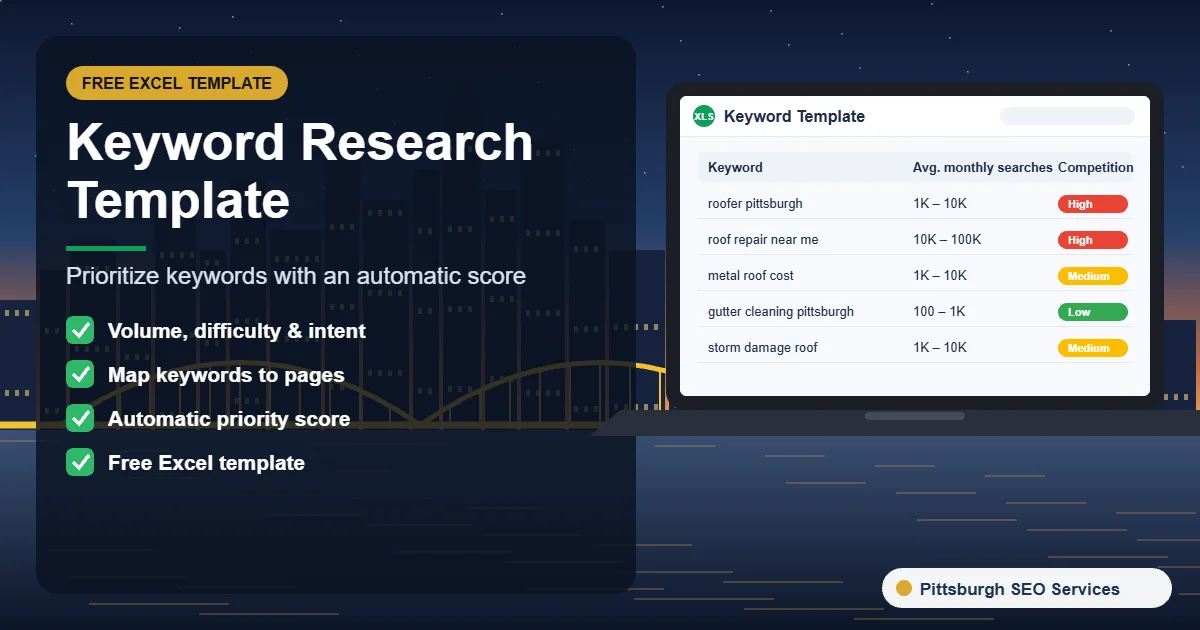
Organize your keyword research in one place. This free template lets you record each keyword’s volume, difficulty, intent, target page and current ranking, then calculates a priority score so you know what to work on first.
Download the Free Excel Template →
Format: Excel spreadsheet (.xlsx) – also opens in Google Sheets
Cost: Free, no email required
Best for: Anyone planning website pages or blog content
Written by: Jon Crain, founder of Pittsburgh SEO Services (since 2001)
Last updated: November 2026
What’s Inside the Keyword Research Template
- Columns for keyword, volume, difficulty, intent and target URL
- Search intent dropdown (informational, commercial, transactional, navigational, local)
- Automatic priority score (volume × intent ÷ difficulty)
- Room for 100 keywords
- Example rows showing the expected format
- Instructions tab
Who This Template Is For
Small business owners, content writers and marketers planning service pages and blog posts.
How to Use It
- Download the template.
- Collect keyword ideas from Google Keyword Planner, Search Console, AnswerThePublic or your SEO tool.
- Enter volume, difficulty and intent (1–3).
- Assign each keyword to one target page to avoid overlap.
- Sort by priority score and start with the highest.
Why It Matters for SEO & AI Search
Mapping one primary topic to each page avoids pages competing with each other and makes your site easier for search engines to understand.
Grouping questions and intent also helps you write content that answers what people ask AI assistants.
Frequently Asked Questions
Is the keyword template free?
Yes, it is free to download.
Where do I get search volume?
Google Keyword Planner (free with a Google Ads account) or your SEO tool.
What does the intent score mean?
1 = researching, 2 = comparing options, 3 = ready to hire or buy.
Can I use it in Google Sheets?
Yes.
How many keywords should one page target?
One primary topic, with closely related variations.
About the Author
Jon Crain founded Pittsburgh SEO Services LLC in 2001. Our team has built more than 500 websites and helps businesses across Western Pennsylvania, Ohio and West Virginia with SEO, local search, websites and AI search visibility. This template is based on the same process we use with clients.
Want help putting it into practice? Explore our Pittsburgh SEO Services or contact us at 412-250-7965.