
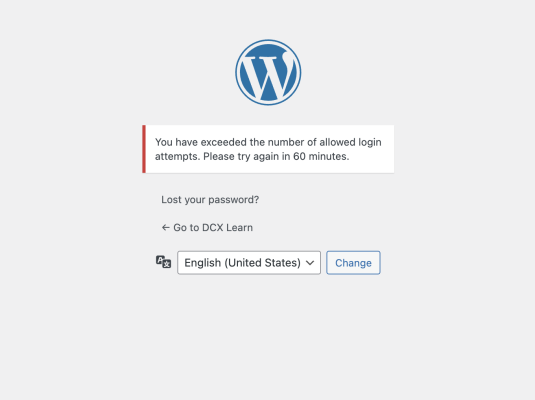
Cerber Limit Login Attempts is a WordPress security plugin developed by the creators of WP Cerber Security. It focuses specifically on protecting WordPress login pages from brute-force attacks by limiting the number of failed login attempts, automatically blocking suspicious IP addresses, and providing detailed logs of login activity. The plugin is lightweight, easy to configure, and ideal for site owners who want strong login protection without a full security suite.
What Cerber Limit Login Attempts Does
This plugin strengthens WordPress authentication by monitoring login behavior and blocking attackers who attempt to guess passwords repeatedly. Once a defined threshold of failed login attempts is exceeded, the offending IP address is temporarily or permanently blocked.
It protects multiple WordPress entry points, making it especially effective against automated bots and credential-stuffing attacks.
Core Features & Capabilities
Limit Login Attempts
- Restricts the number of failed login attempts per IP address
- Automatically locks out IPs after repeated failures
- Lockout duration increases for repeat offenders
- Fully customizable thresholds and timing rules
Protection for Multiple Login Areas
Cerber Limit Login Attempts protects:
- /wp-login.php
- /wp-admin/
- XML-RPC login attempts (a common bot attack vector)
- Password reset and authentication endpoints
- This ensures attackers can’t bypass protection by switching login methods.
Login Attempt Logging
The plugin records detailed login activity, including:
- Failed and successful login attempts
- IP addresses
- Timestamps
- Lockout events
- These logs help administrators monitor suspicious behavior and fine-tune security rules.
IP Blocking & Whitelisting
- Manually block or allow specific IP addresses
- Whitelist trusted IPs (such as office locations)
- Automatically block IPs showing malicious behavior
This gives administrators precise control over who can access the login system.
Email Notifications
Receive alerts when:
- Multiple login failures occur
- An IP address is locked out
- Suspicious activity is detected
- This allows you to respond quickly to potential security threats.
Lightweight & Performance-Friendly
Cerber Limit Login Attempts is optimized to run efficiently without slowing down your site. It does not rely on heavy background scans or database-intensive operations, making it suitable for:
- Blogs
- Business websites
- Membership sites
- WooCommerce stores
Why Use Cerber Limit Login Attempts?
Prevents brute-force login attacks
Protects XML-RPC and admin login pages
Simple setup with powerful defaults
Lightweight alternative to full security suites
Ideal when paired with firewalls or malware scanners
Developed by a trusted WordPress security team
Official Download Link
Download Cerber Limit Login Attempts from the WordPress Plugin Repository:
https://wordpress.org/plugins/cerber-limit-login-attempts/
This is the official and secure source. You can install the plugin directly from your WordPress dashboard or download the ZIP file for manual installation.
Installation & Setup (Quick Guide)
- Log in to your WordPress admin dashboard
- Go to Plugins → Add New
- Search for “Cerber Limit Login Attempts”
- Click Install Now → Activate
Open the plugin settings to:
- Set allowed login attempts
- Configure lockout duration
- Enable email notifications
- Manage IP allow/block lists
- Once activated, protection begins immediately using default security rules.