
Working Hours
Mon - Fri 8AM to 5PM
AI Search Visibility Checker
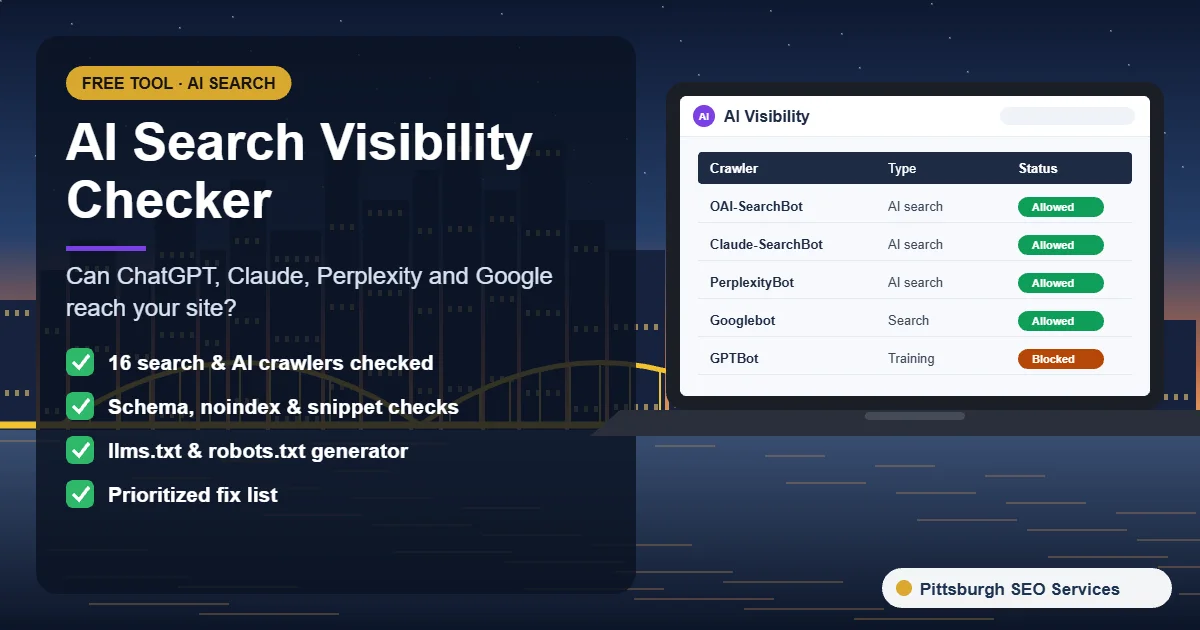
Find out whether ChatGPT, Claude, Perplexity, Google and Bing can reach your website, and whether your pages give AI answers the facts they need. Then create llms.txt and robots.txt rules in a few clicks.
Check Your Website's AI Search Visibility
We read the site's public robots.txt, llms.txt and the page you enter, the same files any crawler can see. Nothing is stored except a 15-minute cache of the result.
1. Can AI and search crawlers reach the page?
Search and answer crawlers decide whether you can be cited. Training crawlers only decide whether your content may be used to train AI models, so blocking them is a business choice.
2. Page signals AI search tools rely on
3. What to fix first
Free llms.txt and robots.txt Generator
llms.txt is an optional, proposed file that gives AI tools a short, plain-language summary of your site and links to your most important pages. It takes a few minutes to set up.
robots.txt preference for AI crawlers
llms.txt (upload to https://yourdomain.com/llms.txt)
robots.txt lines for AI crawlers (add to your existing robots.txt; don't replace it)
How to Use the AI Search Visibility Checker
- Enter your homepage or any page you want to be found for, then click Check AI Visibility.
- Review the crawler table. Anything marked Blocked under Search or User request can keep you out of AI answers.
- Review the page signals, such as noindex tags, snippet settings, structured data and how much readable text the page has.
- Work through “What to fix first.” The list puts the problems most likely to hurt visibility at the top.
- Optional: use the generator to create an llms.txt file and robots.txt lines that match your preference on AI training.
What the Checker Looks At
Search, AI search and AI training crawlers
AI companies now use separate crawlers for different jobs. OpenAI uses OAI-SearchBot for ChatGPT search and GPTBot for model training. Anthropic uses Claude-SearchBot for search, Claude-User when a person asks Claude about a page, and ClaudeBot for training. Perplexity uses PerplexityBot to build its index. Each one can be allowed or blocked on its own in robots.txt.
That gives you a choice that didn’t exist a few years ago: you can stay visible in AI search answers while opting out of AI training. What hurts small businesses is blocking the search crawlers by accident, often through a security plugin, a hosting setting or a robots.txt rule copied from somewhere else. The checker reads your robots.txt the way the major crawlers do and shows the result for each one.
Google and Bing still matter most
Google’s AI Overviews and AI Mode are built on Google Search, so they rely on Googlebot and the usual indexing rules. Google-Extended only controls whether content is used for Gemini models; it doesn’t affect Google Search. Microsoft Copilot answers draw on Bing. If Googlebot or Bingbot can’t crawl your pages, no amount of AI-specific work will help.
Page signals
Once a crawler can reach a page, AI tools still need clear, quotable facts. The checker looks for noindex and nosnippet settings, a descriptive title and meta description, a single H1, Organization or LocalBusiness structured data with sameAs links to your other profiles, FAQ markup, and enough readable text to cite.
llms.txt
llms.txt is a proposed standard: a short Markdown file at the root of your site that summarizes what you do and links to your key pages. It’s cheap to add and harmless, but it isn’t required, and the major AI search tools haven’t said they rely on it. We report it as optional, not as a problem.
How to Improve AI Search Visibility
- Keep search crawlers unblocked and decide deliberately about training crawlers.
- State the basics in plain text on your site: what you do, where you do it, who runs the business, how long you’ve been doing it, and how to contact you.
- Answer real customer questions on service pages and in FAQs, in the words customers use.
- Keep your business details identical on your website, Google Business Profile and major directories.
- Earn reviews and mentions on trusted local sites. AI assistants often summarize what others say about a business.
- Show experience: real project photos, case studies, credentials and named team members. These support Google’s E-E-A-T guidelines and give AI tools specific facts to repeat.
How This Tool Works and Its Limits
When you run a check, our server requests three public files from the site you entered: the page itself, /robots.txt and /llms.txt. It identifies itself as PSS-AI-Visibility-Checker and stores the result for 15 minutes so repeat checks are fast. The robots.txt rules are then evaluated in your browser using the same matching method Google documents: the most specific user agent group applies, and the longest matching path wins.
The checker can’t see firewall or CDN rules that block AI crawlers by IP address or user agent (some hosting and security services do this by default), and it reads the page HTML before JavaScript runs. If the checker says you’re allowed but you still never appear in AI answers, ask your host or developer whether bot blocking is turned on. Being crawlable makes you eligible to be cited. It doesn’t guarantee that an AI tool will mention you.
Frequently Asked Questions
What is AI search visibility?
AI search visibility is how likely your business is to be found, cited or recommended in AI-generated answers, such as Google AI Overviews, ChatGPT search, Claude, Perplexity and Microsoft Copilot. It depends on whether AI crawlers can reach your pages and whether those pages state clear, consistent facts.
Should I block GPTBot or ClaudeBot?
That is a business decision. GPTBot and ClaudeBot collect content for AI model training. Blocking them doesn’t remove you from ChatGPT or Claude search, which use OAI-SearchBot and Claude-SearchBot. Most small businesses benefit from being visible, so we suggest blocking training crawlers only if you have a specific reason.
Does blocking Google-Extended remove my site from AI Overviews?
No. Google says Google-Extended controls whether content is used for Gemini models and doesn’t affect Google Search. AI Overviews are part of Google Search and rely on Googlebot.
Do I need an llms.txt file?
No. llms.txt is an optional, proposed standard. It is quick to create and does no harm, but the major AI search tools haven’t confirmed that they use it. Fixing blocked crawlers, missing business details and thin pages matters much more.
Why does the checker say I’m allowed when AI tools still can’t read my site?
Some firewalls, CDNs and security plugins block AI crawlers by user agent or IP address before robots.txt is even read. The checker can only see robots.txt and page settings, so ask your host or developer whether bot blocking is enabled.
How often should I check my AI search visibility?
Check after any website redesign, hosting move, security plugin change or robots.txt edit, and otherwise every few months. AI companies also add new crawlers from time to time.
Is the AI Search Visibility Checker free?
Yes. It is free and needs no account. We cache each result for 15 minutes and limit how many checks one visitor can run per hour to keep the tool fast for everyone.
Sources and Further Reading
- OpenAI: Overview of OpenAI crawlers
- Anthropic: Does Anthropic crawl data from the web, and how can site owners block the crawler?
- Google: Google’s common crawlers (including Google-Extended)
- Google Search Central: How Google interprets the robots.txt specification
- Google Search Central: AI features and your website
- The llms.txt proposal
Related Free Tools and Guides
- AI Search Visibility Guide (free PDF) – a step-by-step plan
- Local Business Schema Generator – fix missing business schema
- Robots.txt Checker
- Noindex Tag Checker
- Google Review Link Generator
Need Help With This?
We help businesses get found in Google, Google Maps and AI answers by fixing crawl problems, adding structured data and writing pages that answer what customers actually ask.
Get a free website and local SEO review
Prefer to talk it through? Call 412-250-7965. Pittsburgh SEO Services LLC is based in Moon Township, PA and works with businesses in Western Pennsylvania, Ohio and West Virginia.