
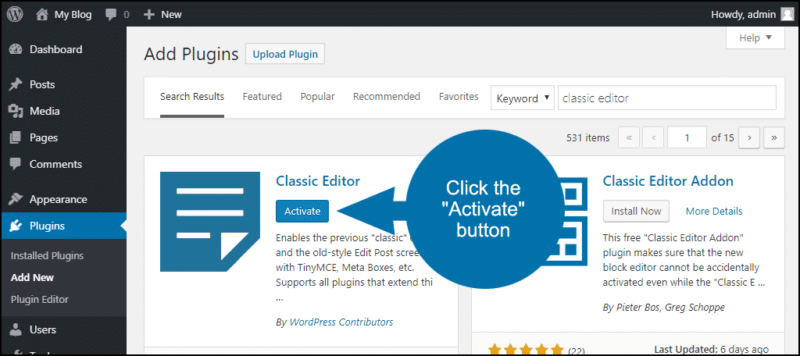
Classic Editor is an official WordPress plugin that restores the original WordPress content editor, replacing the newer block-based (Gutenberg) editor with the familiar classic editing interface. It’s ideal for users who prefer a simple, traditional writing experience or who rely on older plugins, themes, or workflows that are not fully compatible with the block editor.
Trusted by millions of WordPress sites, Classic Editor provides stability, familiarity, and ease of use—especially for long-form content and legacy websites.
What Classic Editor Does
Classic Editor allows you to:
- Disable the Gutenberg block editor
- Restore the original TinyMCE-based WordPress editor
- Edit posts and pages using a single content window
- Maintain compatibility with older themes and plugins
- Choose which editor to use per post (optional)
- It’s a practical solution for website owners who want consistency and simplicity in their content management workflow.
Key Features
- Classic Editing Interface
- Single text editor with visual and text (HTML) modes
- Familiar toolbar for formatting content
- Gutenberg Disable Option
- Fully replaces the block editor
- Optional setting to allow switching between editors
- Plugin & Theme Compatibility
- Works seamlessly with older plugins
- Ideal for legacy WordPress websites
- Admin-Level Controls
- Choose default editor site-wide
- Allow or restrict editor selection per post
- Lightweight & Stable
- Minimal impact on performance
- No unnecessary features or bloat
Who Should Use Classic Editor?
- Bloggers who prefer traditional writing tools
- Businesses running older WordPress themes
- Agencies managing legacy client sites
- Users frustrated by the block editor workflow
- Anyone wanting a distraction-free editor
Why Website Owners Choose Classic Editor
- Familiar and easy-to-use interface
- Officially maintained WordPress plugin
- Smooth transition for long-time WordPress users
- Reduces editing complexity
- Reliable and performance-friendly