
Working Hours
Mon - Fri 8AM to 5PM
Link Analyzer
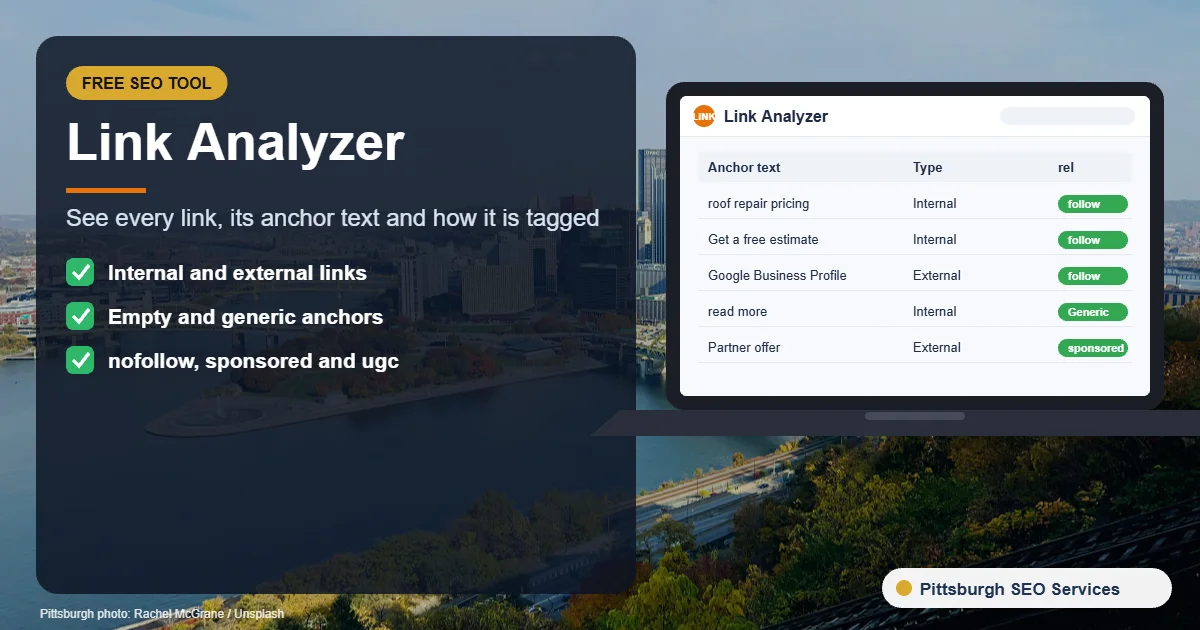
See every link on a page, what its anchor text says and how it is tagged, so you can strengthen internal links and catch links that help nobody.
Want help fixing these issues?
Send us your results and we'll reply by email with what we'd fix first. No obligation and no sales pressure.
Thanks, we've got it. We'll review your results and reply by email, usually within one business day. Need us sooner? Call 412-250-7965.
How to Use the Link Analyzer
- Enter the page address you want to review, such as a service page or blog post.
- Click Analyze Links. The tool reads every
<a href>link in the page HTML, including the header, menu and footer. - Check the summary for internal link count, empty anchors and generic anchors, then scroll to the full list.
What the Link Analyzer Shows
- Internal links to other pages on the same site. These help visitors move around and help search engines find and understand your pages.
- External links and the domains they point to.
- Anchor text for every link. Image links show the image alt text, marked [image].
- Empty anchors: links with no text and no image alt text, which screen readers can’t describe.
- Generic anchors such as “click here”, “read more” and “learn more”.
- rel attributes: nofollow, sponsored and ugc, which tell search engines how to treat a link.
- Phone and email links, so you can confirm your tap-to-call links are present.
Why Links on Your Own Pages Matter
Google discovers most pages by following links, and it uses anchor text to understand what the linked page is about. Google’s link guidance recommends descriptive anchor text that makes sense on its own, and crawlable <a href> links rather than links built only with JavaScript.
On local business websites, the most common link problems we find are service pages that aren’t linked from anywhere except the menu, blog posts that never link to the service they are about, and buttons labeled only “Learn more”. Fixing these is quick and helps both visitors and search engines.
When to Use nofollow, sponsored and ugc
- rel=”sponsored” for paid links, ads and sponsorships.
- rel=”ugc” for links in user-generated content such as comments and forum posts.
- rel=”nofollow” for other links you don’t want to vouch for.
- Normal links to helpful, trustworthy sources don’t need any rel value.
Frequently Asked Questions
What is a link analyzer?
A link analyzer lists the links on a web page and shows where they point, their anchor text and their rel attributes, so you can find weak, broken or mislabeled links.
Does this tool check backlinks to my site?
No. It checks the links on the page you enter. Backlinks are links on other websites pointing to yours, which you can review in Google Search Console under Links.
How many internal links should a page have?
There is no set number. Each important page should be linked from related pages with descriptive anchor text, and every page you want found should be reachable through links, not only the sitemap.
Is “click here” bad for SEO?
It isn’t a penalty, but it wastes an opportunity. Descriptive anchor text tells visitors and search engines what they will find, for example “roof repair pricing” instead of “click here”.
Should external links be nofollow?
Not by default. Links to helpful sources are normal. Use sponsored for paid links, ugc for user content and nofollow for links you don’t want to endorse.
Why does the tool count menu and footer links?
Because search engines see them too. Sitewide menu and footer links are normal, but the links inside your main content usually carry the most context.
Is the Link Analyzer free?
Yes. It is free and needs no account. Results are cached for 10 minutes and there is a limit on how many checks one visitor can run per hour.
Sources and Further Reading
- Google Search Central: Link best practices
- Google Search Central: Qualify your outbound links
- Google Search Central: Spam policies (link spam)
Related Free Tools and Guides
- Redirect Checker – check where links end up
- HTTP Status Code Checker – find broken links
- Image Alt Text Checker
- Local SEO Page Checker
- Heading Tags Checker
Need Help With This?
We plan internal linking, clean up link problems and build quality local links as part of our SEO services for Pittsburgh-area businesses.
Get a free website and local SEO review
Prefer to talk it through? Call 412-250-7965. Pittsburgh SEO Services LLC is based in Moon Township, PA and works with businesses in Western Pennsylvania, Ohio and West Virginia.